

Livermore Toyota
Quote Process: Step-by-Step Guide
Tool Used: | Parts Bridge & Dealer Daily |
Purpose: | To accurately process and submit quotes for automotive parts. |
Step 1: Access Quote Request in Parts Bridge
a. Go to the Parts Bridge Tool: https://toyota.autopartsbridge.com
b. Locate Pending Quotes: Look for quotes highlighted in RED.
c. Open the Quote: Click OPEN to launch the quote.
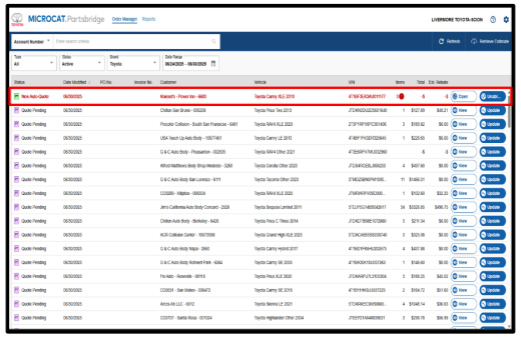
Step 2: Check Parts Availability & Delivery Schedule
a. Access Dealer Daily: https://dealer.toyota.com
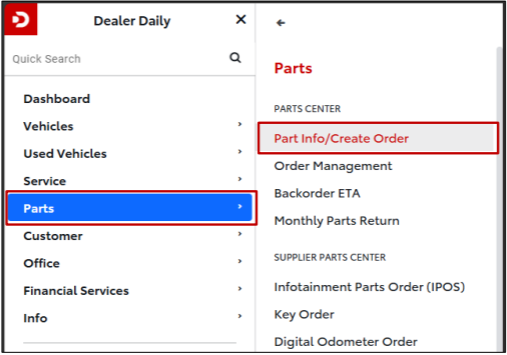
b. Navigate to the Parts Info Tool: Dashboard
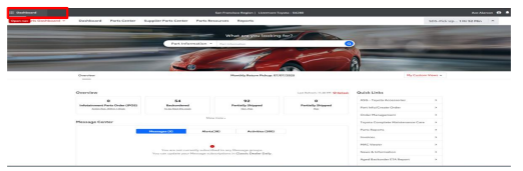
> PARTS > Part Info/Create Order
c. Cross-check Part Numbers from Parts Bridge to Dealer Daily.
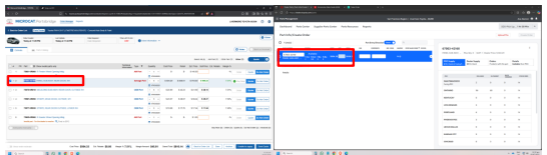
d. Check Inventory Status:
Available
Out of Stock
Discontinued
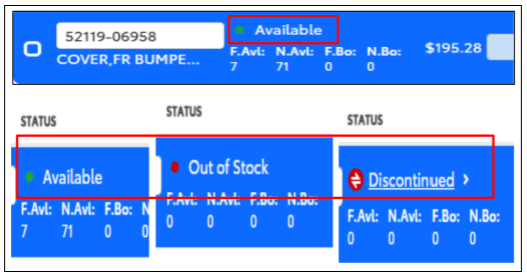
*If it's available, follow the appropriate delivery schedule (See table for reference)
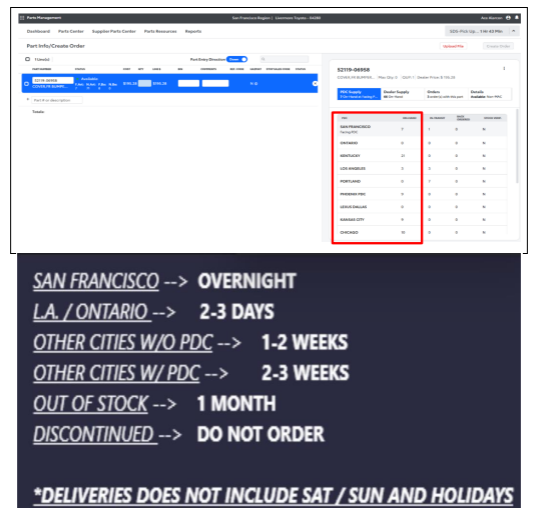
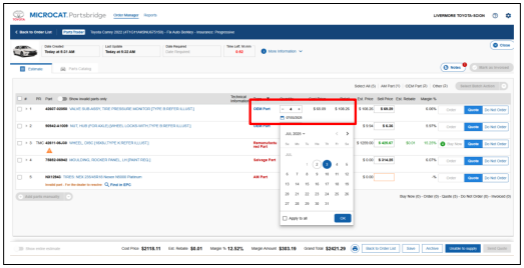
e. Update Delivery Date in Parts Bridge
Return to Parts Bridge.
Below each available part number, you will see a mini calendar icon.
Click the calendar and select the delivery date that matches the availability shown in Dealer Daily.
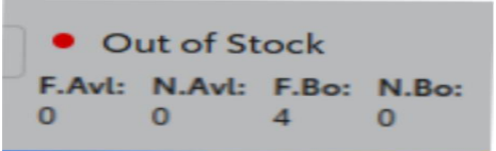
*If in case the part is Out of Stock, select the mini calendar and push it back for 30 calendar days. Saturday, Sundays and Holidays not included
f. If a part is marked as Discontinued in Dealer Daily, follow these steps in Parts Bridge:
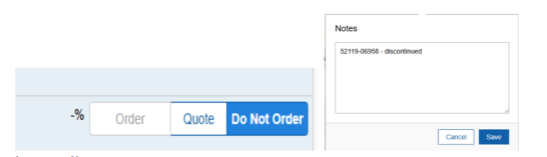
Click the "Do Not Order" tab for that part.
Copy the specific part number.
Navigate to the Notes section in the upper right corner.
Paste the part number and label it as “Discontinued.”
Click Save to apply for the changes. (See image below for reference)
Important Note
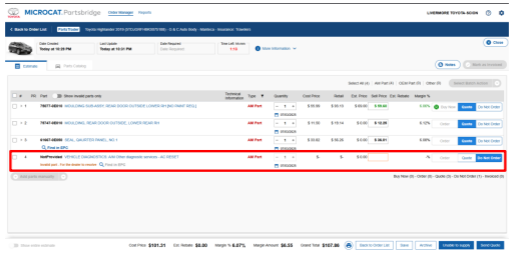
If a part number is listed as "NOT PROVIDED" or "INVALID PART," simply click the "Do Not Order" tab, as illustrated in the screenshot below
Step 3: Gather Key Information & Submit the Quote
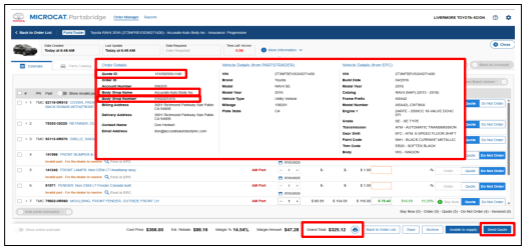
Collect reference details (Quote ID, Body Shop Name/Phone) from the More Information tab.
Copy the Grand Total from the bottom of the quote.
Submit the quote using the Send Quote button.
Repeat the process for the next, RED-highlighted quote.
Important Notes
Double-check part numbers for accuracy.
Push delivery dates only for Out-of-Stock items.
Discontinued and invalid parts must be clearly documented.
Use consistent labeling and tracking
