

Fremont Ford
Quote Process: Step-by-Step Guide
A simplified step-by-step reference for handling quotes through the OEC system.
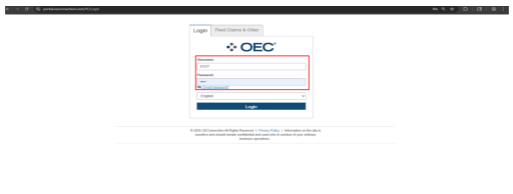
Step 1: Log in to EOC
Go to https://portal.oeconnection.com/#!/Login
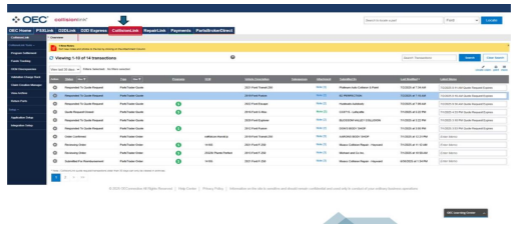
Step 2: Open CollisionLink
Click the ‘CollisionLink’ tab from the dashboard.
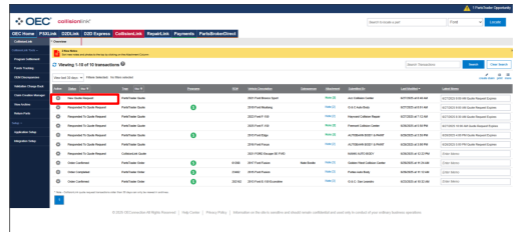
Step 3: Open New Quote Request
Go to the ‘New Quote Request’ and click to open the quote.
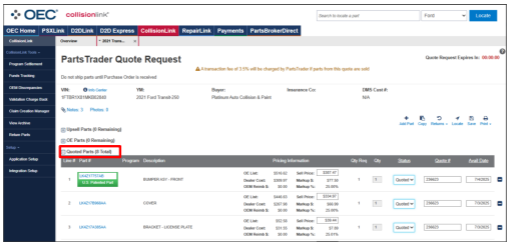
Step 4: Filter Quote Type
✔️ Process: OE Parts only
❌ Skip: Upsell or Non-OE parts
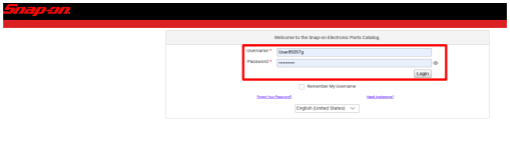
Step 5: Verify Parts in Snap-on EPC
Log in to: snaponepc.com/epc/#/
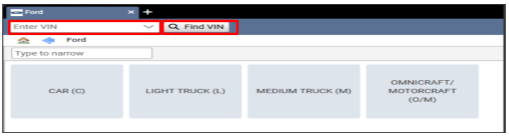
a. Enter VIN> Click ‘Find VIN’.
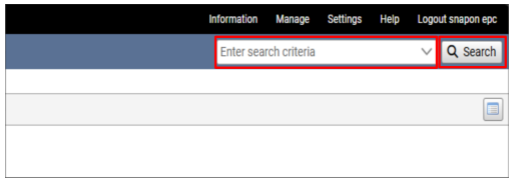
b. Use the part number from the OEC in the Snap-on EPC Search Criteria.
c. Make sure that part number and description match exactly between Snap-on EPC and OEC.
Step 6: Check Part Availability in D2DLink
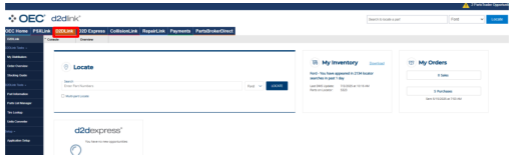
a. Enter Part Number
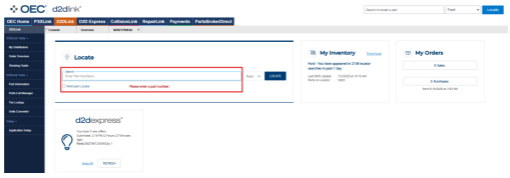
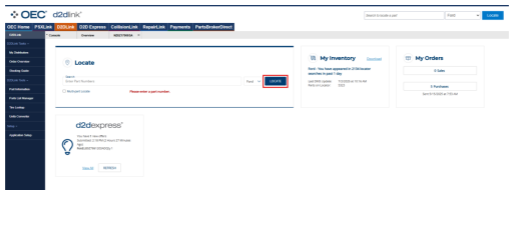
b. Click ‘Locate’
c. Check location and QOH (quantity on hand)
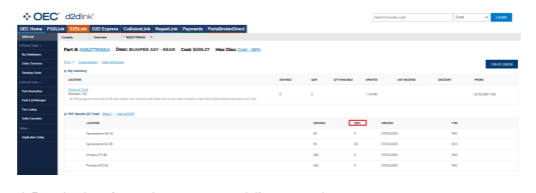
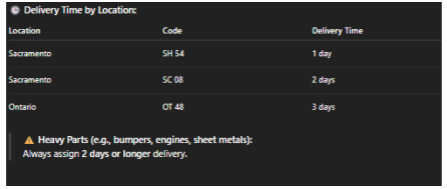
d. For other locations or heavy parts, set delivery to 2+ days.
Step 7: Check Out-of-Delivery Areas
Out-of-Delivery Range = PUSH TO 15 DAYS or More
📍Antioch, Brentwood, Campbell, Citrus Heights, Clovis, Concord, Cupertino, Daly City, Danville, Dublin, Elk Grove, Eureka, Fairfield, Fresno, Gilroy, Lafayette, Livermore, Lodi, Madera, Manteca, Merced, Monterey, Napa, Novato, Petaluma, Pleasanton, Pittsburgh, Redding, Richmond, Roseville, Sacramento, Salinas, San Francisco, San Rafael, San Ramon, Santa Cruz, Santa Rosa, Stockton, Tracy, Turlock, Vacaville, Vallejo, Walnut Creek, Watsonville, Woodland and Yuba City.
Step 8: Create Sales Order in Tekion
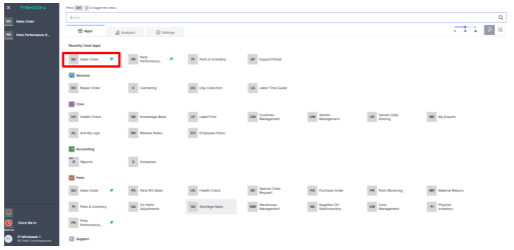
a. Go to Tekion > Sales Order >
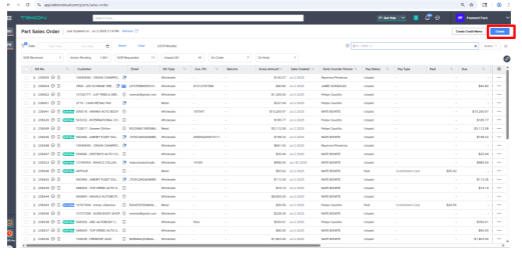
b. >Create
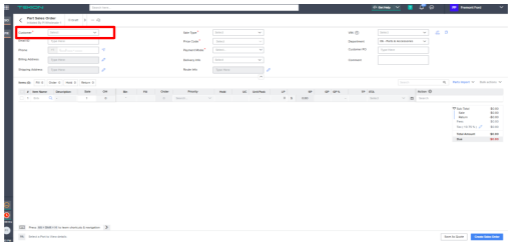
c. Search for customers by phone, name, and address. If not found, use ‘2727’ to create a Temporary Customer.
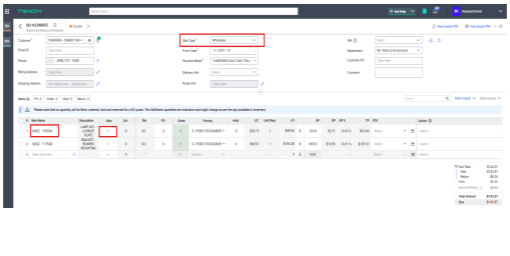
Step 9: Add Parts
Enter part number and quantity. Set Sale Type to Wholesale.
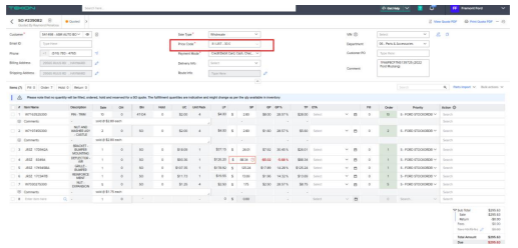
Step 10: Apply Correct Price Code
Select the correct price code before continuing.
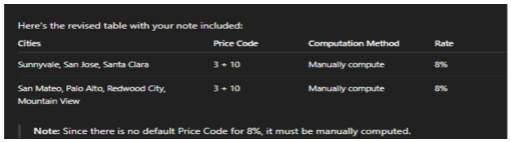
Step 11: Matching Selling Price (SP)
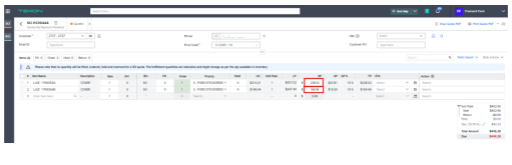
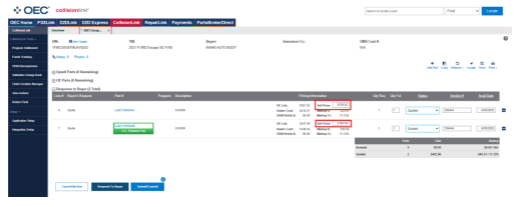
Ensure SP matches in both Tekion and OEC. If incorrect, do manual markup and update both systems.
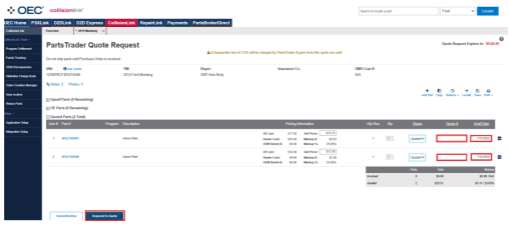
Step 12: Submit the Quote
Enter Sales Order # in the Quote# field in OEC. Set the delivery date and click ‘Respond to Quote’
Reminders
|
